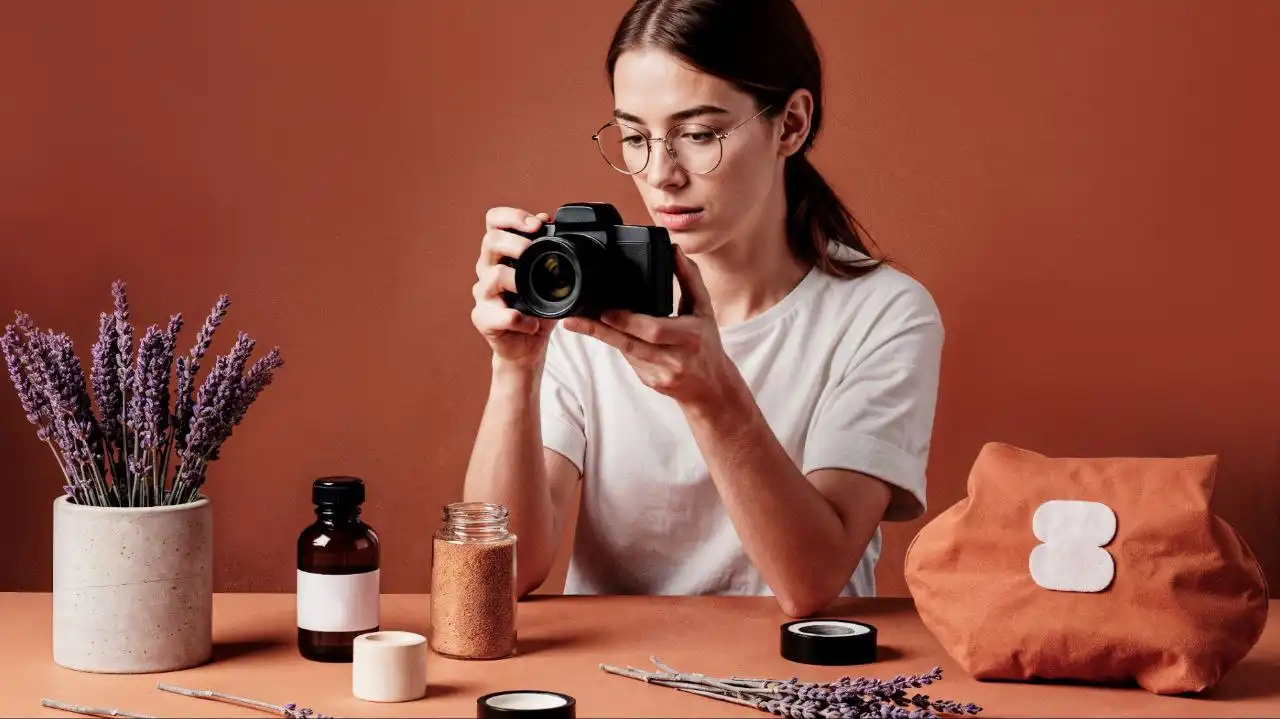
Product Photography on a Budget: What Actually Matters

Author : Linda Greyman

Good product photos aren’t about owning a $3,000 camera. They’re about knowing which variables actually drive a buying decision — and fixing those first. Whether you’re selling handmade candles on Etsy or running a Shopify store for skincare, the gap between “looks amateur” and “looks like a real brand” almost always comes down to light and background, not gear. Tools like Luminar Neo have made post-production accessible to sellers who aren’t photographers, and specific features like AI background removal have cut what used to be a 20-minute Photoshop job down to seconds.

This won’t be a list of things to buy. There’s a real workflow behind product images that actually convert — and most of it is free.

The Equipment Trap

Most budget photographers over-invest in cameras and under-invest in everything else. A Sony A6000 from 2014 shoots sharper product images than a modern iPhone — but only if the light is right. The sensor is rarely the bottleneck.

A functional starting setup:

  • A mirrorless or DSLR body with a 50mm or macro lens (used, under $300)
  • Two softbox lights, or large windows with a sheet of white diffusion paper taped over them
  • A sweep — white foam board or seamless paper roll, not fabric, which creases under the weight of products
  • A tripod, because sharpness at low ISO beats stabilization every time

That’s it. Spend money here before anywhere else. The rest is discipline.

Light Is the Only Variable That Actually Matters

Harsh shadows kill product photos. The fix isn’t more light — it’s softer, more directional light.

Place your main source at 45 degrees to the product. Use a reflector or second light at lower intensity on the opposite side. That 3:1 ratio gives texture without the kind of depth that reads as dirt or damage in an image. Window light works well between 9am and 11am on a bright overcast day. Direct sun is almost never useful for product work — it creates specular highlights that blow out detail on any reflective surface. Glassware, skincare packaging, metal hardware — all of them catch hard light and look worse for it.

Color temperature matters more than most beginners expect. Mix a 5000K softbox with 3200K ambient room light and you’ll get a color cast that no preset fully corrects. Either match your sources or shoot with all ambient light off.

Backgrounds: Where Conversions Are Won or Lost

A cluttered background tells the buyer that the seller doesn’t take their own product seriously. Most major marketplaces — Amazon, Etsy, Shopify themes — are built around clean, neutral backgrounds for a reason. They reduce visual noise. The product becomes the only thing to look at.

Shooting on white seamless paper gets you 80% of the way there. But even with a clean sweep, you’ll get shadows, uneven tone, or paper texture showing through. This is where post-processing earns its place — not as an afterthought, but as a planned step in the workflow. The ability to cleanly isolate a product and output a white or transparent background is the difference between a marketplace-ready image and one that needs a reshoot.

That step used to require Photoshop skills most sellers simply don’t have. That’s changed.

Consistency Across a Product Line

One strong photo won’t make or break a listing. Inconsistency across 40 photos will.

Buyers scroll product catalogs the way they walk through stores — they build a subconscious impression before reading a single word. If image style, brightness, and background color shift between SKUs, that impression is “small operation, uncertain quality.” Set a fixed shooting position. Lock white balance manually. Use identical export settings for every image.

Small discipline here compounds fast. Getting this right from the start costs nothing. Fixing it retroactively across 200 product images costs a weekend.

Where Luminar Neo Changes the Equation

This is where the workflow gets practical. Luminar Neo is an AI-powered editor built for creators who need professional output without years of Photoshop training. For product photography specifically, it handles the post-production steps that used to create the most friction.

The AI masking tool isolates products automatically — including fine edges like jewelry chains, fabric texture, or the bristles on a makeup brush. It reads object boundaries with enough precision that manual cleanup is rarely needed. The output meets marketplace requirements, including Amazon’s 85% product-fill and pure white background standards.

Beyond cutouts, Luminar Neo handles:

  • Batch editing for consistent color and exposure across an entire product line
  • Fine control over highlights and shadows without flattening mid-tones
  • Export presets sized for Shopify, Amazon, Etsy, and social formats

The interface is fast to learn. Most sellers get a functional workflow within an afternoon.

Making the Math Work

Budget product photography works when you respect what the budget is actually for — time and iteration, not hardware. Spend on a used lens before a new camera body. Spend an afternoon testing light ratios before buying another modifier.

Luminar Neo uses one-time pricing, which makes it a reasonable investment for anyone publishing more than a handful of product SKUs. No subscription. The math gets simple: one license, permanent access, every product you shoot from here forward.

Try it on a single shoot first. The time saved on background work alone usually settles the decision.

Published On:

Last updated on:

Disclaimer: The informational content on The Minds Journal have been created and reviewed by qualified mental health professionals. They are intended solely for educational and self-awareness purposes and should not be used as a substitute for professional medical advice, diagnosis, or treatment. If you are experiencing emotional distress or have concerns about your mental health, please seek help from a licensed mental health professional or healthcare provider.

Leave a Comment

Today's Horoscope

Daily Horoscope 29 May, 2026 Prediction For Each Zodiac Sign

Daily Horoscope 29 May, 2026: Prediction For Each Zodiac Sign

Growth feels gentle but powerful today.

Latest Quizzes

Fun Chair Personality Test: 9 Options Reveal Your Secrets?

This Chair Personality Test Reveals What People Secretly Notice About You

Look at the picture given above and pick a chair that you would like to sit on. Now read below the interpretation of your selection!

Latest Quotes

Nervous System Regulation: Simple Tools to Calm Anxiety and Reconnect With Your Body

Nervous System Regulation: Simple Tools to Calm Anxiety and Reconnect With Your Body

Nervous system regulation matters most when you feel anxious, numb, or stuck in overthinking. These simple grounding tools and breath practices help calm fight-or-flight and gently wake you from shutdown.

Readers Blog

Caption This Image and Selected Wisepicks – 17 May 2026

Caption This Image and Selected Wisepicks – 17 May 2026

Ready to unleash your inner wordsmith? ✨??☺️ Now’s your chance to show off your wit, charm, or sheer genius in just one line! Whether it’s laugh-out-loud funny or surprisingly deep, we want to hear it.Submit your funniest, wittiest, or most thought-provoking caption in the comments. We’ll pick 10+ winners to be featured on our website…

Latest Articles

Good product photos aren’t about owning a $3,000 camera. They’re about knowing which variables actually drive a buying decision — and fixing those first. Whether you’re selling handmade candles on Etsy or running a Shopify store for skincare, the gap between “looks amateur” and “looks like a real brand” almost always comes down to light and background, not gear. Tools like Luminar Neo have made post-production accessible to sellers who aren’t photographers, and specific features like AI background removal have cut what used to be a 20-minute Photoshop job down to seconds.

This won’t be a list of things to buy. There’s a real workflow behind product images that actually convert — and most of it is free.

The Equipment Trap

Most budget photographers over-invest in cameras and under-invest in everything else. A Sony A6000 from 2014 shoots sharper product images than a modern iPhone — but only if the light is right. The sensor is rarely the bottleneck.

A functional starting setup:

  • A mirrorless or DSLR body with a 50mm or macro lens (used, under $300)
  • Two softbox lights, or large windows with a sheet of white diffusion paper taped over them
  • A sweep — white foam board or seamless paper roll, not fabric, which creases under the weight of products
  • A tripod, because sharpness at low ISO beats stabilization every time

That’s it. Spend money here before anywhere else. The rest is discipline.

Light Is the Only Variable That Actually Matters

Harsh shadows kill product photos. The fix isn’t more light — it’s softer, more directional light.

Place your main source at 45 degrees to the product. Use a reflector or second light at lower intensity on the opposite side. That 3:1 ratio gives texture without the kind of depth that reads as dirt or damage in an image. Window light works well between 9am and 11am on a bright overcast day. Direct sun is almost never useful for product work — it creates specular highlights that blow out detail on any reflective surface. Glassware, skincare packaging, metal hardware — all of them catch hard light and look worse for it.

Color temperature matters more than most beginners expect. Mix a 5000K softbox with 3200K ambient room light and you’ll get a color cast that no preset fully corrects. Either match your sources or shoot with all ambient light off.

Backgrounds: Where Conversions Are Won or Lost

A cluttered background tells the buyer that the seller doesn’t take their own product seriously. Most major marketplaces — Amazon, Etsy, Shopify themes — are built around clean, neutral backgrounds for a reason. They reduce visual noise. The product becomes the only thing to look at.

Shooting on white seamless paper gets you 80% of the way there. But even with a clean sweep, you’ll get shadows, uneven tone, or paper texture showing through. This is where post-processing earns its place — not as an afterthought, but as a planned step in the workflow. The ability to cleanly isolate a product and output a white or transparent background is the difference between a marketplace-ready image and one that needs a reshoot.

That step used to require Photoshop skills most sellers simply don’t have. That’s changed.

Consistency Across a Product Line

One strong photo won’t make or break a listing. Inconsistency across 40 photos will.

Buyers scroll product catalogs the way they walk through stores — they build a subconscious impression before reading a single word. If image style, brightness, and background color shift between SKUs, that impression is “small operation, uncertain quality.” Set a fixed shooting position. Lock white balance manually. Use identical export settings for every image.

Small discipline here compounds fast. Getting this right from the start costs nothing. Fixing it retroactively across 200 product images costs a weekend.

Where Luminar Neo Changes the Equation

This is where the workflow gets practical. Luminar Neo is an AI-powered editor built for creators who need professional output without years of Photoshop training. For product photography specifically, it handles the post-production steps that used to create the most friction.

The AI masking tool isolates products automatically — including fine edges like jewelry chains, fabric texture, or the bristles on a makeup brush. It reads object boundaries with enough precision that manual cleanup is rarely needed. The output meets marketplace requirements, including Amazon’s 85% product-fill and pure white background standards.

Beyond cutouts, Luminar Neo handles:

  • Batch editing for consistent color and exposure across an entire product line
  • Fine control over highlights and shadows without flattening mid-tones
  • Export presets sized for Shopify, Amazon, Etsy, and social formats

The interface is fast to learn. Most sellers get a functional workflow within an afternoon.

Making the Math Work

Budget product photography works when you respect what the budget is actually for — time and iteration, not hardware. Spend on a used lens before a new camera body. Spend an afternoon testing light ratios before buying another modifier.

Luminar Neo uses one-time pricing, which makes it a reasonable investment for anyone publishing more than a handful of product SKUs. No subscription. The math gets simple: one license, permanent access, every product you shoot from here forward.

Try it on a single shoot first. The time saved on background work alone usually settles the decision.

Published On:

Last updated on:

Linda Greyman

Leave a Comment

Leave a Comment